The problem we solve
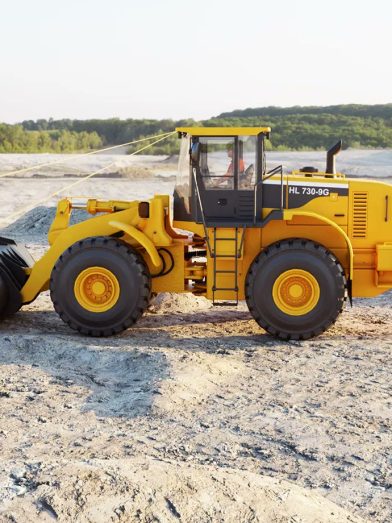
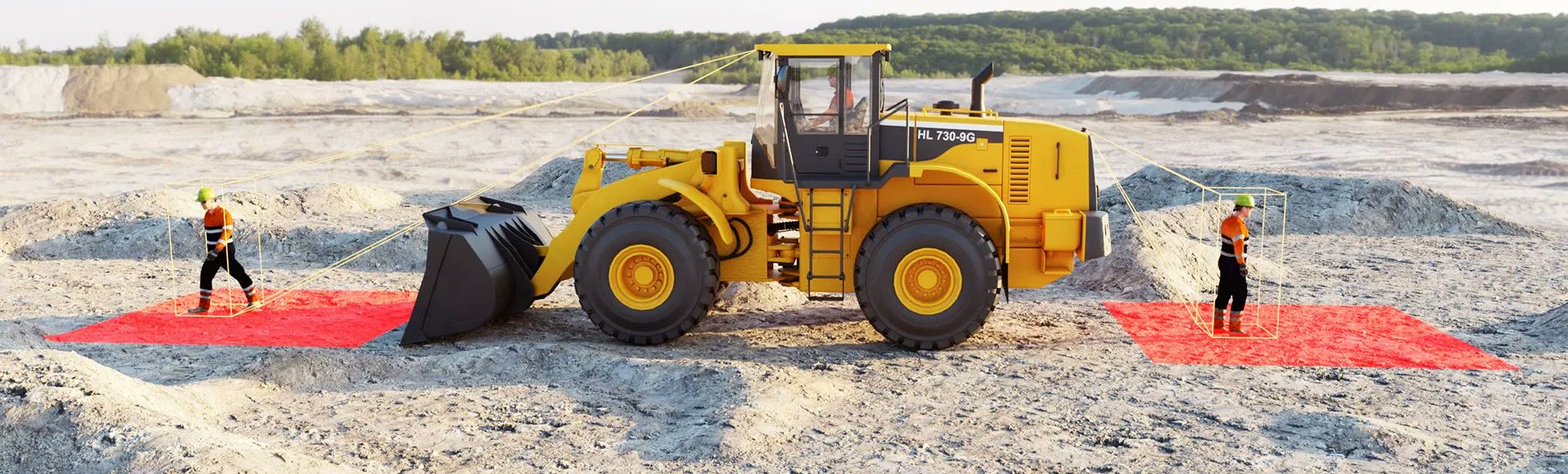
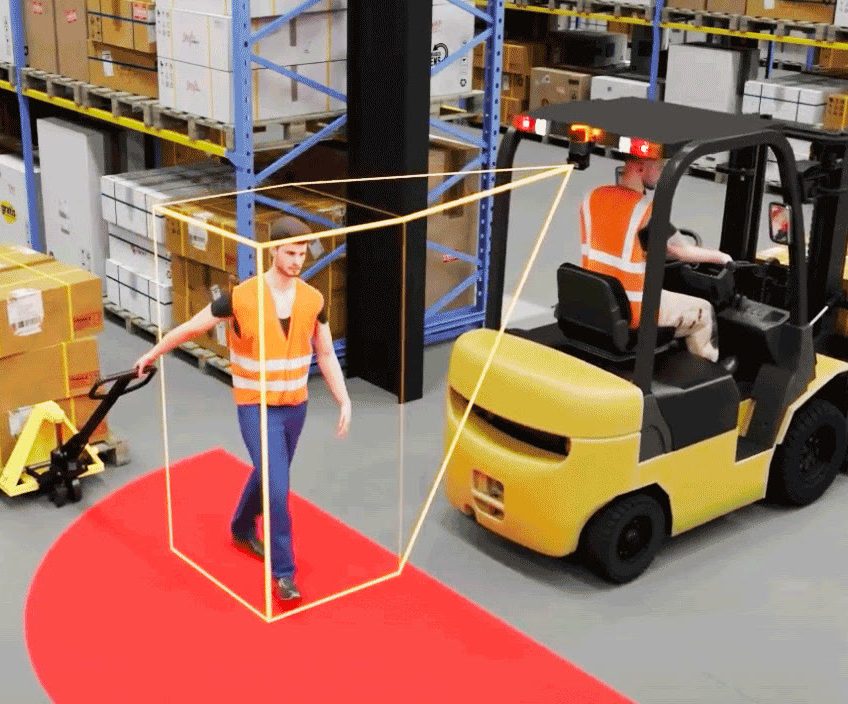
Blind spots around large machines. Operators of loaders, forklifts, excavators, dump trucks and side-lift waste vehicles cannot see everything around them.
Near misses that go unrecorded. When a site relies on people reporting near misses by hand, the interactions that nearly became incidents stay out of sight.
A duty to manage the risk. You have a duty to manage the risk of people being struck by mobile plant. Pedestrian detection is a control measure that supplements your traffic management plans and exclusion zones; it does not replace them.
How it works
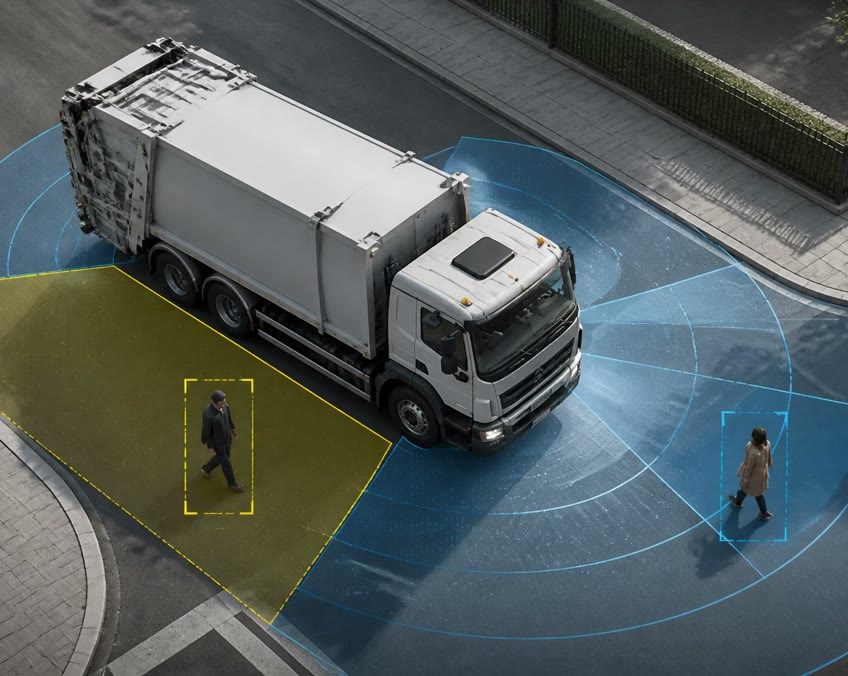
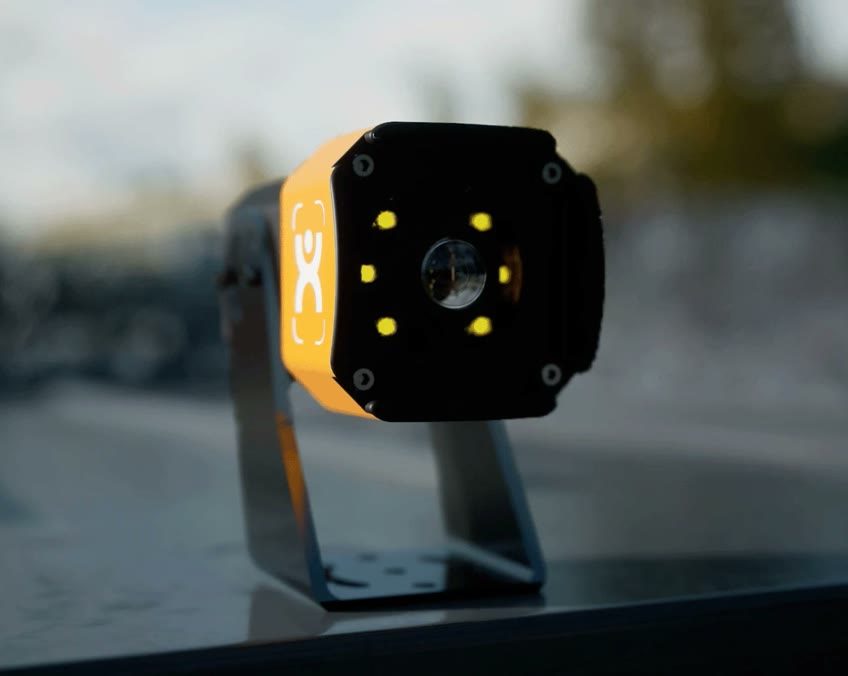
1. Detect. AI cameras fitted around the machine recognise the human form and ignore inanimate objects. People do not need to wear a tag or a special vest. Detection runs on the camera itself.
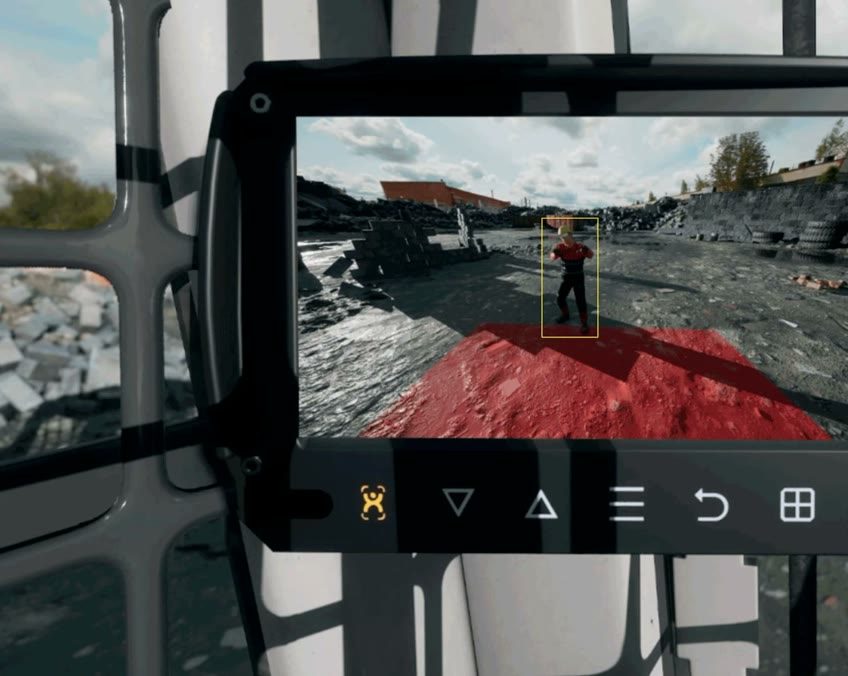
2. Warn the operator. An in-cab monitor shows the live camera view with a box around each detected person and sounds an audible alarm or spoken voice. A simpler LED and buzzer indicator suits single exclusion zones.
3. Warn the pedestrian. An external alert flashes a bright yellow light and says “Warning. Pedestrian”. The camera output can also drive a beacon or siren.
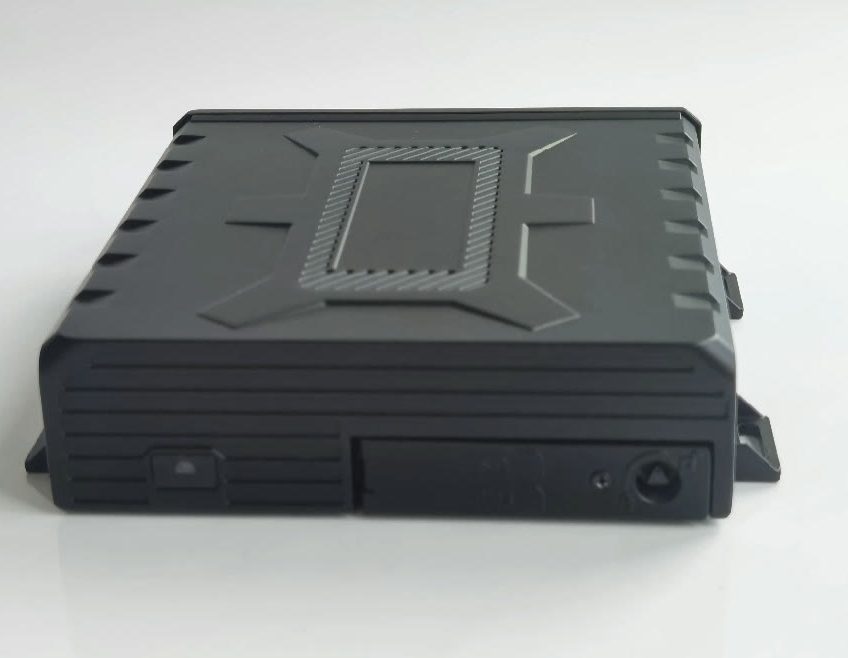
4. Record. A video recorder in the vehicle records continuously. On a zone breach it captures a 20-second clip from every connected camera, with GPS location, speed and heading.
5. Notify and review. The event and footage upload to the MyFleet Dashboard over the mobile network. Nominated managers receive an email with the event ID, vehicle, date and a direct link to the footage. Reviewers classify each event (for example Red Zone Event or Low Risk Alert) and add notes.
6. Coach and close. Events that need follow-up move to a coaching stage. Once the operator has been coached, the reviewer records the action and closes the event.
Key features
Coverage around the machine
Up to six AI cameras per machine, positioned around the front, rear and sides, each with a 170-degree fisheye lens
Detection range
People are detected and tracked up to 10 m from the camera and up to 8 m wide across its face (varies with mounting height and angle)
Configurable zones
Square, rectangular, trapezoid, semi-circle or free-hand zones, single or multi-staged (yellow and red), set for each machine and site
Locked configuration
Zones are set by authorised technicians at commissioning. Operators cannot change them, and there is no off switch
Fast alerts
Detection-to-alert latency of about 130 milliseconds, with processing on the camera
Day and night
Detects people in low light and darkness, partially obscured people (for example someone carrying a box) and limbs. May not operate in heavy snow or fog
Built for the site
Camera rated IP68, operating from -20 °C to +70 °C, vibration rated to ISO 16750-3. External alert rated IP68 and 103 dB at 50 cm
Optional intervention
Where a site needs more than an alert, a control output can be integrated to stop or inhibit hazardous movement while a person is in the zone, scoped per machine
Review and coaching
Events, footage, classifications, notes and coaching outcomes in one queue in the MyFleet Dashboard, with reports by vehicle, division and site
Who it is for
Waste and resource recovery. Loaders and mobile plant at transfer stations and resource-recovery facilities; side-lift collection vehicles. See Waste & Utilities.
Councils and government. Depot, works and waste fleets operating around staff and the public. See Council & Government.
Quarries, construction materials and civil. Front end loaders, dump trucks, excavators, dozers, graders and mobile cranes. See Civil & Construction.
Transport, logistics and warehousing. Forklifts and yard vehicles in depots and distribution centres. See Transport & Logistics.
Pedestrian alerts on the road
For trucks and light vehicles on public roads, MyFleet AI camera systems include driver assistance with pedestrian collision alerts, alongside forward collision and lane departure warnings, AI driver monitoring and accident detection. Events and footage go to the same MyFleet Dashboard and the same review workflow. See Camera Systems.
How we deliver
Five stages. Planning and solution design, equipment purchasing, pre-assembly and configuration, installation and commissioning, and training and handover.
Pre-assembled before site. Each system is configured before it reaches the machine, which keeps installations consistent and downtime short.
Commissioned on every machine. Installers test each camera, calibrate the zones and confirm the system is reporting to the MyFleet platform, and a commissioning sheet is produced for every unit.
Role-based training. For supervisors, administrators and technicians, and ongoing support from our Australian support desk and field technicians.
Safety, compliance and privacy

Work health and safety
Pedestrian detection supports your duty to manage the risk of people being struck by mobile plant. It supplements, and does not replace, traffic management plans, exclusion zones and site procedures.
Chain of Responsibility
For heavy vehicle operators, recorded detection events, footage and review outcomes add to the safety records you keep. See how MyFleet supports your CoR duties on our Council & Government page.
An operator aid
Like all technology, pedestrian detection cannot guarantee 100% accuracy at all times. It does not replace operator vigilance.
Privacy
Cameras capture images of your employees and members of the public. Access to footage is controlled by user permissions. Audio recording is off by default. You remain responsible for workplace surveillance notice and consultation under the state laws that apply to your sites.
Your FAQs Answered
Frequently asked questions
No. The AI recognises the human form, so no tags, transponders or special clothing are needed.
People are detected and tracked up to 10 m from each camera and up to 8 m wide, depending on mounting height and angle.
The AI is trained to recognise people and ignore inanimate objects, which reduces unnecessary alerts.
Yes. A control output can be integrated to stop or inhibit hazardous movement, scoped to the machine’s make and model.
No. Zones are set by authorised technicians at installation, and there is no manual override or off switch.
Yes. It detects people in low light and darkness. It may not operate in heavy snow or fog where visibility is limited.
Operators check the cameras at each pre-start and clean the lenses with a soft microfibre cloth.
Detection and alerts run on the camera, so they do not depend on mobile coverage. Event footage uploads to the MyFleet Dashboard over the mobile network.
A transferable mounting kit can be scoped for hired or short-term machines.
The AI cameras we fit to the machine, operator and pedestrian alerts, recording, notifications, and the review and coaching workflow in MyFleet.
Seamless Integration with Our Cutting-Edge Products